Artificial Intelligence
Generative Ai
Data Science
Productivity
LLM
No more feeding your AI “garbage”: Transform complex document parsing with the precision of Knowhere + OpenClaw
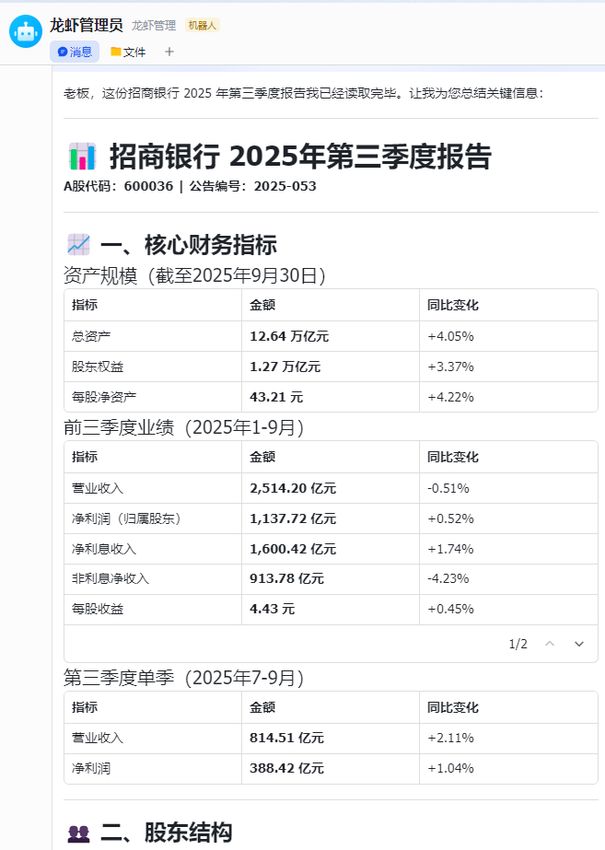
Last week, I was wading through a 50-page quarterly report from Merchants Bank. I only had one question: Why did revenue drop?
Usually, this involves a soul-crushing routine: manually scrolling through dozens of pages, hunting for specific tables, squinting at data, and manually typing it into a spreadsheet or notes app. It’s mechanical, tedious, and a complete waste of time.
This time, I tried a new tool that changed everything: Knowhere, a fresh document-parsing plugin that integrates directly with OpenClaw.
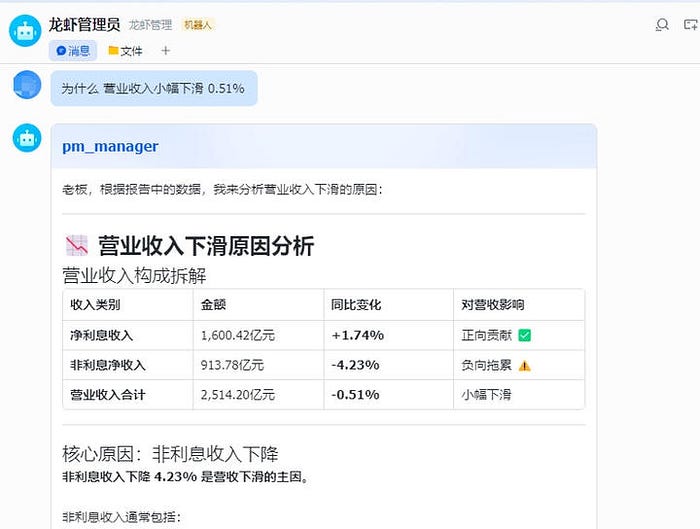
The results were eye-opening. After “reading” the report, the AI didn’t just give me a summary — it broke down the entire revenue structure. It identified that a 4.23% drop in non-interest income was the primary culprit and pointed to fluctuating fee income and wealth management business as the likely drags. When I pushed further for a comparison, it generated a table showing exactly which segments were underperforming.
The best part? I didn’t have to copy-paste a single digit.
The Root of Hallucinations: It’s the Ingredients, Not the Chef
If you’ve built AI apps or handled enterprise documents, you’ve hit this wall: you ask an AI to analyze a complex, 100-page scanned PDF, and it either starts “hallucinating” (making things up) or simply says, “I don’t have access to that information”.
Most people think the solution is a “smarter” model or better prompting. But the real issue is much simpler: the “raw ingredients” you’re feeding the AI are broken.
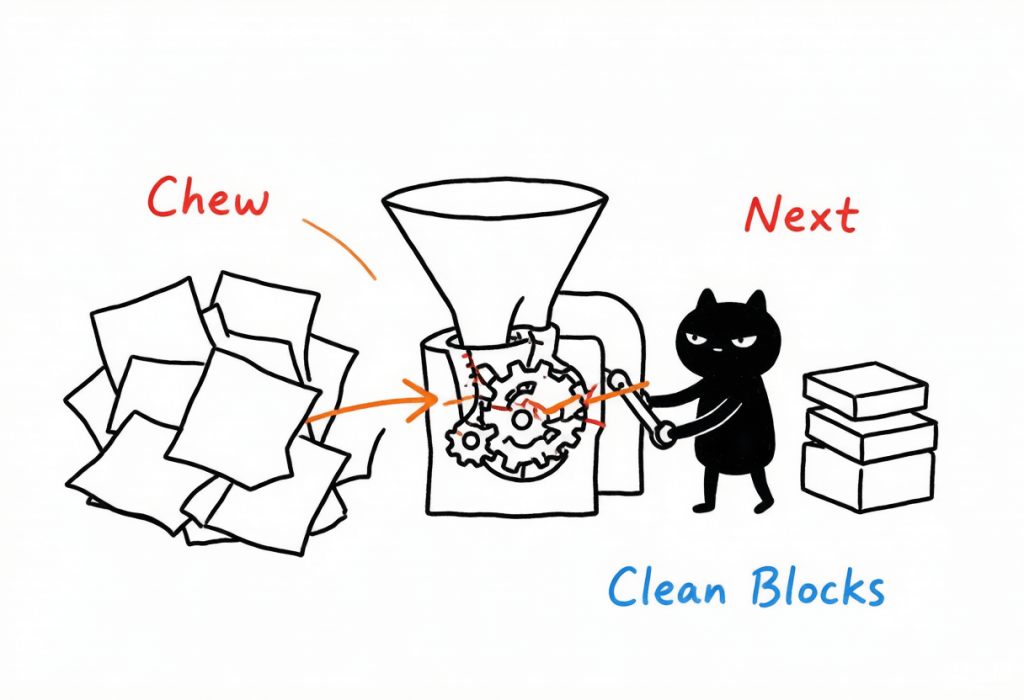
Think of a Large Language Model (LLM) as a world-class Executive Chef. Knowhere is the Prep Cook (the Sous Chef). Before the ingredients ever hit the pan, Knowhere ensures they are cleaned, organized, and perfectly prepped for the recipe.
Why “Chunking” Fails
Most current tools handle documents by “chunking” — chopping text into fixed-word counts and throwing them at the model. But documents aren’t just flat text; they have hierarchies, relationships, and context. When you chop a document blindly, those vital connections vanish. The AI receives a pile of disconnected fragments and is forced to “fill in the blanks” — which is where hallucinations begin.
The “Table” Test
Identifying multi-level headers in tables is a notorious pain point. Standard tools often fail to handle merged rows or columns (rowspan/colspan), leading to a 0% accuracy rate for complex structures.
Knowhere changes the game:
- 90%+ Accuracy: It recognizes complex table structures with precision.
- Structured HTML Output: It preserves the full hierarchy, meaning your downstream logic doesn’t need extra “cleanup” steps.
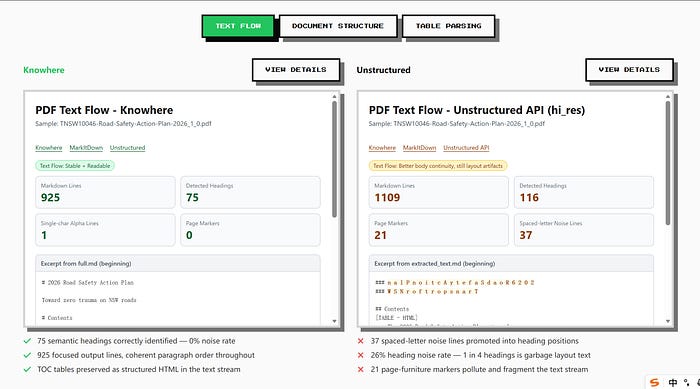
Text Flow
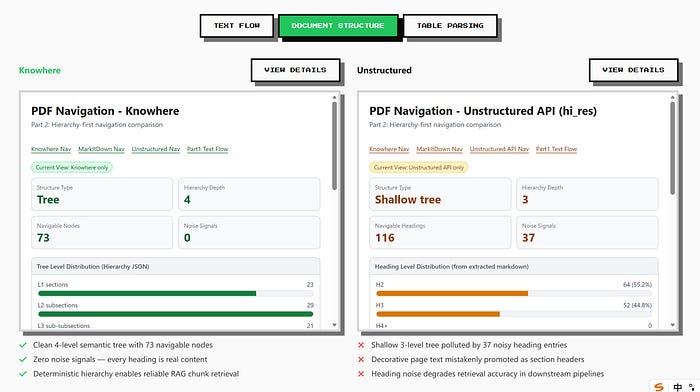
Document Structure
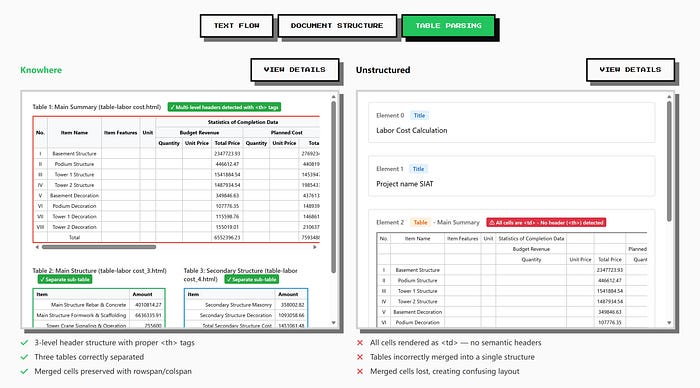
Table Parsing
The “Tree-like” Algorithm: Parsing with Human Logic
At the heart of Knowhere is our proprietary Tree-like algorithm. Unlike standard slicing, it doesn’t just cut text; it aligns it.
It maps out the document’s DNA: how headers relate to sub-headers, which paragraph belongs to which section, and where cross-references lead. Because these logical associations are built into the data itself, the AI doesn’t have to “guess” the context during retrieval. This is why, when I asked about the bank’s revenue, the AI could “drill down” through nested financial layers with perfect logic.
It Doesn’t Just Store; It Learns
Standard document tools are forgetful. You upload a file, it processes it, and by the next conversation, it’s gone.
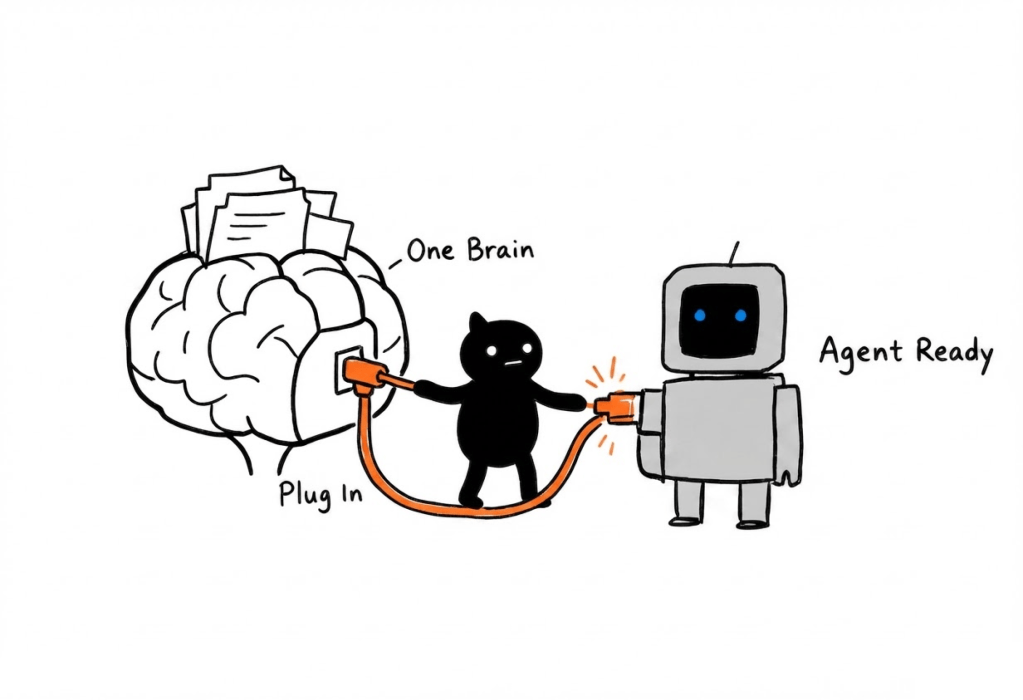
Knowhere acts as a Knowledge Graph and Memory Layer for your AI agents. It connects new information to your existing knowledge base, much like how the human brain integrates new facts into what it already knows.
- Cross-Document Insights: Ask “How does this quarter’s profit compare to the last?” and Knowhere will find the answer across multiple reports automatically.
- Persistent Memory: If you enable persistence mode, documents are stored in your knowledge base. You don’t need to re-upload; just ask.
Multimodal: PDF, PPT, and Beyond
Knowhere isn’t just for PDFs. It’s designed for unstructured data across the board. Currently, it supports:
- PDF, Word, Excel, PPT, and Images.
- (Coming Soon: Audio and Video support) .
Real-World Use Cases:
- Finance: Analyzing complex nested data in annual reports and earnings calls.
- Legal: Extracting contract clauses without losing the context of “fine print” relationships.
- Research: Linking experimental data, charts, and citations for instant retrieval.
- Enterprise: Building internal wikis from product manuals and tech docs that update dynamically.
Quick Start: Adding Knowhere to OpenClaw
Setting up takes less than two minutes:
- Install the plugin:
openclaw plugins install @ontos-ai/knowhere-claw - Get your API Key: Sign up at knowhereto.ai/api-keys for a 14-day free trial (no credit card required).
- Configure: Add your key to your
config.jsonfile.
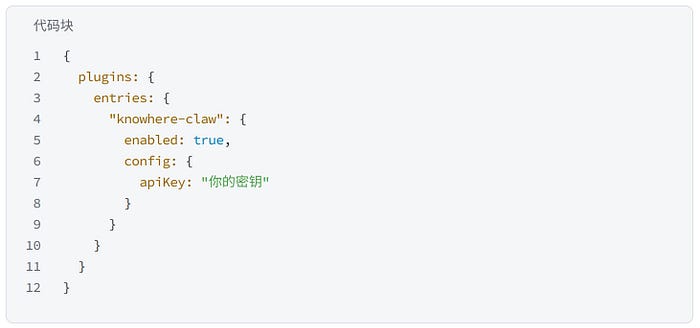
4. Go: Just tell your AI, “Read this PDF.” The agent will automatically call Knowhere to parse the data with high precision.
Is Knowhere for You?
If you’re only reading simple, one-page documents, you might not notice the difference. But if you are:
- An analyst buried in financial reports and contracts.
- A developer building high-quality AI applications.
- A team tired of AI hallucinations and looking for “fact-checked” answers.
…then the quality of your data parsing is the single biggest bottleneck to your AI’s performance.
Our AI models are getting faster and stronger every day. But if we feed them “garbage” data, they just make mistakes faster. Knowhere is here to make sure the “ingredients” are finally as good as the chef.
Try it now:https://knowhereto.ai/claw
Originally published on Medium.
 Blog
Blog 